How Much Does Design to HTML Cost?
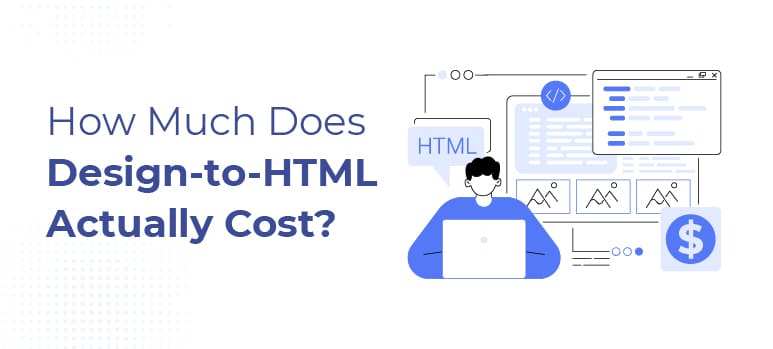
Design to HTML is the process of converting static design files such as Figma, Sketch, or Adobe XD into production ready HTML and CSS that can be integrated into a live website or application.
If you’re converting a design file (Figma, Sketch, Adobe XD) into production-ready HTML and CSS, here’s the honest answer:
Design to HTML pricing typically falls between $30 and $150+ per page for production-ready HTML and CSS.
The reason that range feels wide is simple: Design to HTML is not a commodity service.
Two designs that look identical in Figma can require very different amounts of work once they’re translated into real, maintainable code.
This guide explains:
- What design to HTML actually costs
- What drives pricing up or down
- Why quotes vary so dramatically
- How to reduce cost without sacrificing quality
No sales framing. Just reality.
Quick Answer: Design to HTML Pricing
Most design to HTML projects fall into one of these ranges:
- $30–$60 per page → Simple static layouts
- $60–$100 per page → Standard responsive pages
- $100–$150+ per page → Complex, component-heavy layouts
- Highly interactive UI → Varies based on behavior and states
If a quote falls far below this range, something is usually missing:
- Responsiveness depth
- QA and testing
- Code maintainability
- Long-term flexibility
Lower price doesn’t mean wrong ,but it does mean trade-offs.
Why Design to HTML Pricing Varies So Much
Design to HTML pricing varies because code must make decisions that designs often don’t define.
Even when two designs look similar, the development effort can differ based on:
- How much interpretation is required
- How flexible the layout must be
- How reusable the components need to be
- How much QA is expected before delivery
The more decisions developers must make during implementation, the more time and cost increase.
A few years ago, we were asked to “fix” a design-to-HTML project that had already been completed by another vendor. On paper, the original build looked fine. The design was followed. The pages rendered correctly on the desktop. And the client had paid less than $50 per page. The problems showed up later.
As soon as content changed, layouts broke. Tablet views behaved unpredictably. Simple updates required touching multiple files because nothing was reusable. What initially looked like a cost savings turned into weeks of rework. The HTML wasn’t wrong. It was just built for speed, not for longevity.
That experience is why pricing for design to HTML feels confusing. The real cost isn’t what you pay to generate files it’s what you pay to avoid rebuilding them.
What Actually Drives Design to HTML Cost
Design Complexity Matters More Than Page Count
One page can be:
- A simple static layout
- Or a dense, component driven interface
Cost increases when designs include:
- Complex grid systems
- Nested layouts
- Reusable components with variations
- Non-standard spacing rules
- UI elements that behave differently depending on context
Reality:
One complex page can cost more than five simple ones.
Responsiveness Is Where Cost Quietly Grows
Most designs show:
- Desktop
- One mobile view
But production-ready HTML must handle:
- Multiple screen widths
- Text wrapping edge cases
- Content growth
- Layout reflow
- Unexpected viewport sizes
When responsive behavior isn’t clearly defined in the design, developers must interpret intent. Interpretation takes time and time increases cost.
Interaction States Add Hidden Work
Designs often don’t fully specify:
- Hover states
- Focus states
- Active states
- Error states
- Disabled states
- Accessibility states
When these are missing:
- Developers must invent them
- QA feedback becomes subjective
- Revisions happen late
That additional effort shows up directly in pricing.
Code Quality Is the Biggest Cost Divider
This is where pricing differences become dramatic.
Lower-cost design to HTML work often:
- Hard-codes layouts
- Uses rigid CSS
- Skips semantic structure
- Optimizes for speed, not longevity
Higher-quality work includes:
- Semantic HTML
- Clean, reusable CSS
- Scalable layout logic
- Consistent naming conventions
- Maintainable codebases
You’re not paying for HTML files. You’re paying for future stability and flexibility.
QA and Testing Are Not Optional
Proper QA takes real time. Production-level QA typically includes:
- Cross-browser testing
- Real-device checks
- Responsive validation
- Visual consistency review
- Basic accessibility considerations
Cheaper services often reduce or skip QA until issues surface later. QA is either paid for upfront or paid for during rework.
Typical Design to HTML Cost Ranges
| Page Type | Typical Cost | Why |
| Simple static page | $30–$60 | Minimal layout logic |
| Standard responsive page | $60–$100 | Breakpoints + QA |
| Complex component-driven page | $100–$150+ | Reusability and edge cases |
| Highly interactive UI | Varies | Depends on states and behavior |
If pricing falls far below these ranges, flexibility and reliability are usually reduced.
Why Design to HTML Can Be Very Cheap
Design-to-HTML is often cheap when the focus is on:
- Speed over maintainability
- Minimal responsiveness
- Limited QA
- Hard-coded layouts
- Short-term use
Lower pricing reflects different priorities not necessarily incompetence. Cheap upfront just means higher constraints and higher long-term risk.
How to Reduce Design to HTML Cost Without Sacrificing Quality
Higher cost isn’t inevitable. You can reduce pricing by:
- Providing build-ready designs
- Defining responsive behavior upfront
- Standardizing components
- Specifying interaction states clearly
- Locking scope before development
- Agreeing on QA standards early
Clarity reduces cost more effectively than negotiation ever will.
When Design to HTML Is Not Worth the Cost
Design to HTML may not be the right approach if:
- Designs are still changing frequently
- Speed matters more than quality
- Maintainable code isn’t required
- The project is short-lived
- Long-term scalability doesn’t matter
In these cases, lower-cost or no-code solutions may be a better fit. That’s not failure it’s alignment.
Final Thoughts on Design to HTML Pricing
Design to HTML pricing feels confusing because many providers avoid explaining it.
But once you understand:
- What actually drives cost
- What trade-offs exist
- What “quality” really means
Pricing becomes logical instead of frustrating. Transparency filters bad projects and builds trust with the right ones.
About the Author