Best Design-to-Code Converters With CMS Integration
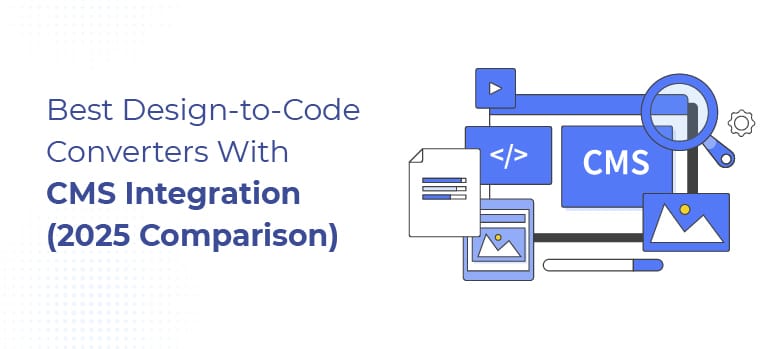
Teams searching for design-to-code converters with CMS integration are usually trying to solve a very real tension:
- Designers want speed and visual control
- Developers want clean, maintainable code
- Clients want to manage content without breaking layouts
Design-to-code tools with CMS support promise to solve all three. In practice, there is no single “best” option; there are only trade-offs.
This guide compares the most common design-to-code approaches with CMS integration, explaining when each option works well, where it breaks down, and how to choose the right approach for your project. This is not a ranking. It’s a decision guide.
What Are Design-to-Code Converters With CMS Integration?
Design-to-code converters with CMS integration are tools or workflows that transform design files into production code while connecting that code to a content management system.
These solutions range from visual builders with built-in CMS features to custom HTML connected to traditional or headless CMS platforms. Each option involves trade-offs between speed, flexibility, maintainability, and scalability.
Understanding those trade-offs is more important than choosing a tool.
How to Evaluate Design-to-Code Tools With CMS
Before comparing options, it helps to know what actually matters in real projects.
A CMS-enabled design-to-code workflow should be evaluated on:
- CMS flexibility (content types, relationships, custom fields)
- Code ownership and portability
- Design fidelity vs long-term maintainability
- Performance and SEO control
- Scalability as the project grows
- Developer involvement required
- Long-term maintenance cost
Most tools optimize for one or two of these, rarely all of them.
Additional Read:
10 Best Front-End Development Agencies for White-Labeling and Design-to-Code in 2026
Design-to-Code With CMS: Comparison
| Approach | CMS Type | Best For | Strengths | Limitations |
| Webflow CMS | Built-in | Marketing sites | Fast, visual | Limited complex logic |
| Framer | Built-in | Landing pages | Speed, simplicity | Shallow CMS |
| Figma → HTML + WordPress | Traditional CMS | Content-heavy sites | Full control | Dev required |
| Figma → HTML + Headless CMS | Headless | SaaS & apps | Scalability | Higher complexity |
| Automated converters | Varies | Simple sites | Fast output | Fragile code |
This table shows fit, not winners.
Webflow CMS: Pros, Cons, and Best Use Cases
Best for:
Marketing websites, brochure sites, small-to-mid content projects.
Strengths:
- Design and CMS in one platform
- Fast iteration and publishing
- Easy content editing for non-technical teams
Limitations:
- CMS relationships can become restrictive
- Complex logic requires workarounds
- Code portability is limited
- Performance tuning has constraints
When it breaks down:
When projects require complex content structures, custom logic, or long-term flexibility outside the Webflow ecosystem.
Framer and Visual Builders With CMS
Best for:
Landing pages, campaigns, short-lived marketing sites.
Strengths:
- Extremely fast design-to-publish workflow
- Strong visual fidelity
- Minimal setup
Limitations:
- Shallow CMS capabilities
- Limited scalability
- Not suitable for content-heavy or evolving products
When it breaks down:
As soon as content relationships grow or long-term maintenance matters.
Figma to HTML With WordPress CMS
Best for:
Content-heavy websites, SEO-driven projects, long-term platforms.
Strengths:
- Mature CMS ecosystem
- Full control over content models
- Strong SEO and performance flexibility
- Code ownership
Limitations:
- Requires developer involvement
- Slower iteration compared to visual builders
- Initial setup takes more time
When it works best:
When flexibility, longevity, and content structure matter more than speed.
Figma to HTML With Headless CMS
Best for:
SaaS products, multi-platform experiences, complex applications.
Strengths:
- Maximum scalability
- Clean separation of content and presentation
- Supports complex content relationships
Limitations:
- Higher setup and development cost
- Requires experienced developers
- Overkill for simple sites
When it breaks down:
When teams expect a no-code experience or quick, low-cost delivery.
Fully Automated Design-to-Code Tools
Best for:
Simple, short-term projects where speed outweighs durability.
Strengths:
- Fast output
- Low upfront cost
- Minimal manual effort
Limitations:
- Fragile HTML and CSS
- Poor CMS logic handling
- Difficult to maintain or extend
- QA issues appear later
Automation struggles with CMS relationships, responsive behavior, and long-term maintainability.
Design-to-Code + CMS Options Compared
| Approach | CMS Flexibility | Speed | Scalability | Best For |
| Webflow CMS | Medium | High | Medium | Marketing sites |
| Framer | Low | Very High | Low | Landing pages |
| HTML + WordPress | High | Medium | High | Content platforms |
| HTML + Headless CMS | Very High | Low | Very High | SaaS & apps |
| Auto converters | Low | High | Low | Short-term sites |
Cost Implications of Design-to-Code With CMS
Design-to-code workflows with CMS integration are rarely cheap long-term.
Hidden costs often include:
- Rebuilding fragile output
- CMS workarounds
- Performance limitations
- Developer cleanup later
- Platform lock-in
Visual builders often look cheaper upfront.
Custom HTML + CMS usually costs more initially — but less over time.
When Design-to-Code With CMS Works Well
- This approach works best when:
- Content structures are simple
- Requirements are clearly defined
- Speed matters more than flexibility
- The site has a predictable lifespan
- CMS needs are unlikely to grow
In these cases, tools can be very effective.
When Design-to-Code With CMS Is a Bad Idea
- It’s usually a poor fit when:
- Content relationships are complex
- The product will evolve significantly
- Performance is critical
- Long-term maintainability matters
- Teams expect “no developers involved.”
This is where most frustration begins.
Are Design-to-Code Converters Good for CMS-Driven Websites?
Design-to-code converters can work well for CMS-driven websites when content structures are simple and long-term flexibility is not critical.
For complex content relationships, frequent updates, or scalable products, custom HTML integrated with a traditional or headless CMS is usually more reliable.
How to Choose the Right Approach
Instead of asking “Which tool is best?”, ask:
- Do we need speed or flexibility?
- Will content relationships grow?
- Who maintains this long-term?
- Can we afford to rebuild later?
- How important is code ownership?
The right choice depends on context, not trends.
Final Thoughts
Design-to-code converters with CMS integration are not good or bad by default — they are situational. Most problems don’t come from tools failing. They come from expectations not matching reality.
When teams choose workflows based on fit instead of hype, projects move faster, cost less over time, and avoid unnecessary rebuilds. There is no “best” design-to-code converter. There is only one best choice for your situation.
About the Author