PSD to HTML Conversion Explained: Process, Benefits, and Best Practices
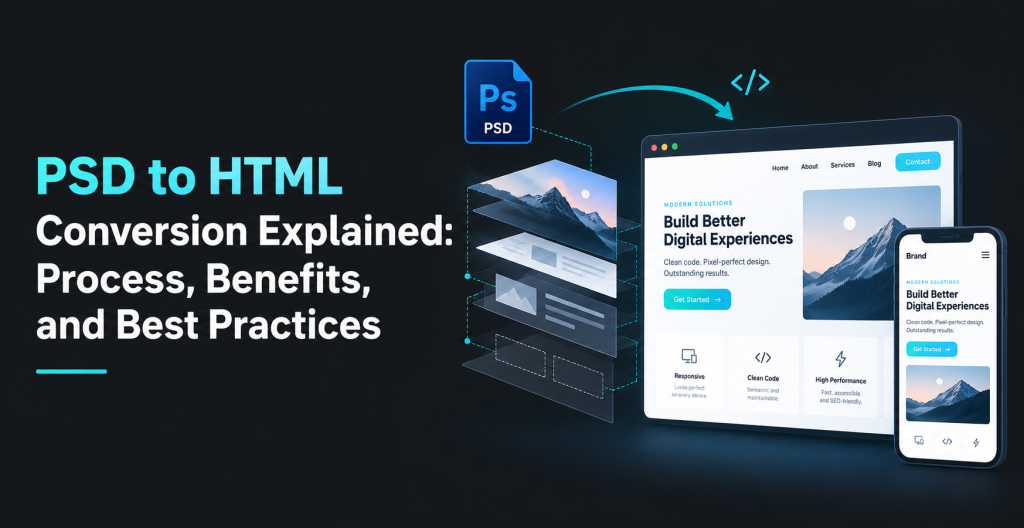
A PSD file can show you exactly what a website is supposed to look like. It can include the homepage layout, buttons, navigation, banners, forms, images, and even small details such as spacing and typography.
What it cannot do is work like a website.
That is where PSD to HTML conversion comes in.
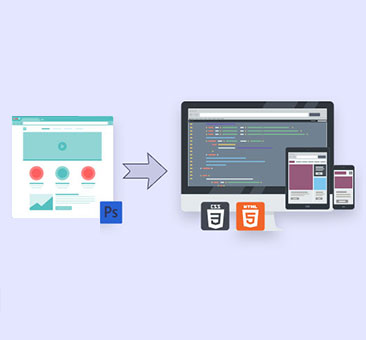
PSD to HTML conversion is the process of taking a website design built in Adobe Photoshop and rebuilding it with HTML, CSS and JavaScript so it can work correctly in a browser.
The process has changed quite a bit over the years. Developers are no longer simply cutting a Photoshop design into image slices and arranging those pieces on a page. A modern conversion also has to account for responsive layouts, mobile screens, accessibility, loading speed, browser behavior, and code that another developer can actually work with later.
Photoshop may not be the main UI design tool for most new projects anymore, but plenty of businesses and agencies still have website designs stored as PSD files. If those designs need to become working pages, PSD to HTML conversion still has a clear purpose.
In this guide, we will look at what the process involves, what you should expect from the final files, what affects project cost and turnaround time, and what to check before hiring a development partner.
Quick Answer
PSD to HTML conversion is the process of turning a static Photoshop website design into a working web page.
The finished page is usually built with HTML and CSS, with JavaScript added where interactive functionality is required.
A good conversion should not only resemble the PSD. It should also work properly on phones and tablets, load efficiently, use sensible HTML structure, and behave consistently across modern browsers.
What Is PSD to HTML Conversion?
PSD is the native file format used by Adobe Photoshop.
Designers can organize a PSD into layers for headings, images, buttons, backgrounds, icons, navigation, and other page elements. That makes it useful for creating and editing a visual website concept.
A browser, however, cannot turn those layers into a website.
It needs code.
HTML gives the page its structure. CSS handles the visual styling. JavaScript is used when the page needs things such as dropdown menus, tabs, sliders, popups, or other interactive features.
During PSD to HTML conversion, the developer uses the Photoshop file as a reference and rebuilds the design for the browser.
Take a simple homepage as an example.
The PSD may contain a logo, navigation bar, hero section, three service boxes, a testimonial section, and a contact form.
A developer needs to turn each of those pieces into a real web element.
The heading should be real text, not an image. The contact form needs actual input fields. The navigation should be usable on mobile. The service cards need to resize correctly when the screen gets smaller.
So although the term is still “PSD to HTML,” the job usually involves far more than HTML alone.
Is PSD to HTML Conversion Still Relevant?
“Yes, but not like it was ten or fifteen years ago.
Many web designers today use Figma and similar tools. These tools are focused on interface design, components, collaboration and developer handoff, so they often work better for modern website projects.
Still, that does not make existing PSD designs useless.
Businesses often have old Photoshop files from a previous website project. Agencies may receive approved PSDs from a client. A designer may have created a campaign landing page in Photoshop. In other cases, a company may simply want to rebuild an older design without starting the design phase again.
If the design already exists and everyone has approved it, converting it directly can make more sense than recreating the same thing in another design tool first.
The important part is what happens during development.
A PSD may only show a desktop layout. Real visitors will open the page on phones, tablets, laptops, and large monitors.
Someone therefore has to decide what happens when a four-column layout no longer fits.
Does it become two columns?
Does it stack into one?
What happens to the navigation?
How should the hero image crop on a narrow screen?
Those decisions are part of modern PSD to HTML development.
| PSD File | Finished Website |
| Shows a fixed layout | Adapts to different screen sizes |
| Shows button styling | Needs clickable and accessible buttons |
| Shows menu design | Needs functional navigation |
| Contains large source images | Needs web-optimized images |
| Shows a form | Needs usable form fields |
| Shows one content example | Must handle changing content |
| Defines appearance | Must also handle behavior |
The PSD tells the developer what the page should look like. It does not answer every question about how the page should work.
How Does PSD to HTML Conversion Work?
There is no single workflow that every developer follows, but most professional projects go through the same general stages.
1. Review the Design Before Coding
A developer should not start by immediately writing HTML.
The first job is to inspect the PSD.
That means looking at the page structure, fonts, images, layers, buttons, repeated sections, forms, navigation, and anything that appears interactive.
This is also where missing information usually becomes obvious.
- Maybe there is no mobile design.
- Maybe a dropdown menu is shown but its open state is not.
- Maybe the designer used a font that is not available for web use.
- Maybe an image looks fine inside the PSD but is far too large to load on a real website.
It is better to catch these issues before development begins.
2. Break the Layout Into Sections
Next, the page is usually divided into logical parts.
A homepage might have:
- Header
- Hero section
- Services
- About section
- Testimonials
- Call to action
- Footer
The developer will also look for elements that repeat.
If the same service card appears six times, there is little sense in treating each one as a completely separate design. It is usually cleaner to build one reusable pattern and use it wherever needed.
3. Export the Assets That Are Actually Needed
Older PSD to HTML workflows relied heavily on image slicing.
Modern websites should not.
Text should stay as text. Buttons should normally be created with HTML and CSS. Borders, backgrounds, shadows, and many basic shapes can also be built directly in CSS.
Photos, logos, illustrations, and some icons may still need to be exported from Photoshop.
Those files should then be optimized for the web.
This is especially important when the PSD contains high-resolution images that were prepared for design quality rather than page speed.
4. Write the HTML
The page structure is then created in HTML.
This is where visual elements become meaningful web elements.
A page title becomes a heading.
navigation menu becomes navigation menu
The right button or link element should be used to implement a clickable action.
Form fields need labels.
Sections should be organized logically.
It might not alter the appearance of the website, but it will impact accessibility, SEO, maintainability, and ease of future development of the site.
5. Match the Design With CSS
CSS is used to reproduce the PSD visual styling.
That includes fonts, spacing, backgrounds, borders, colors, alignment, column layouts, button styles, and responsive behavior.
This is usually the stage where most of the visual accuracy work happens.
A good developer will aim to stay close to the approved design while avoiding unnecessarily rigid code.
That distinction matters.
If every element is positioned using fixed pixel values simply because the PSD uses fixed positions, the page may look fine at one screen size and fall apart everywhere else.
6. Make the Layout Responsive
Responsive development is often the part the PSD itself does not explain.
A designer may provide a desktop screen at 1440 pixels wide. That does not tell the developer exactly what should happen at 390 pixels.
Some decisions are straightforward.
Four columns may stack vertically.
Large margins may become smaller.
Navigation may collapse into a mobile menu.
Other decisions need more thought, especially when sections contain unusual layouts or overlapping design elements.
If mobile and tablet designs are supplied, they should be followed.
If they are not, the developer will usually need to make reasonable decisions based on the desktop design.
7. Add Interactive Features
You can see what an accordion or menu looks like in a static design, but it won’t work.
JavaScript may be required for features such as:
- Dropdown menus
- Tabs
- Accordions
- Sliders
- Popups
- Filters
- Form validation
- Mobile navigation
Simple websites may need very little JavaScript. More interactive designs can require considerably more.
This is something worth clarifying when getting a project quote.
8. Test the Page
Once the page looks correct, the job is not finished.
The website should be checked on different screen sizes and browsers.
This often reveals things that are difficult to spot while coding.
A heading might wrap badly on one screen size. A button may become too narrow. An image may crop awkwardly. A dropdown may work with a mouse but not with a keyboard.
Testing is where these problems should be found and fixed.
9. Clean Up the Project for Handoff
Before delivery, the developer should make sure the project is reasonably organized.
Files should have understandable names. Unused code should be removed where possible. Images should be optimized. Styles should not be unnecessarily duplicated.
This becomes especially useful if the HTML will later be handed to another developer for WordPress, WooCommerce, CMS, or backend integration.
What Are the Benefits of PSD to HTML Conversion?
If you already have an approved Photoshop design, the biggest advantage is simple: you do not have to redesign the website before development can start.
The PSD becomes the reference, and development can move forward from there.
There are a few other practical benefits as well.
You Keep the Approved Look and Feel
Design approval can take time.
Spacing gets adjusted. Fonts are changed. Colors are reviewed. Sections move around. Stakeholders ask for revisions.
Once everybody has agreed on the design, starting from that approved PSD reduces the chance of development moving in a completely different visual direction.
Of course, some changes may still be necessary on smaller screens.
Pixel-perfect does not mean forcing a desktop layout onto a mobile phone.
The Design Becomes Responsive
A PSD is fixed.
HTML and CSS are not.
A properly developed page can change according to screen width instead of being locked to the dimensions of the original Photoshop file.
That means desktop, tablet, and mobile visitors can use the same website without separate versions being created for every device.
Content Stays Editable
A heading should not have to be opened in Photoshop every time somebody wants to change three words.
Modern front-end development keeps text as actual text wherever possible.
That makes content easier to update and also helps with accessibility and search visibility.
It Can Be Used as the Front End for a CMS
HTML conversion is sometimes only one stage of a larger project.
The front-end files may later be integrated into WordPress, WooCommerce, another CMS, or a custom backend.
If you already know that WordPress is the final destination, it is worth discussing that from the beginning.
In some projects, going directly from PSD to WordPress may be more practical than treating front-end coding and CMS integration as completely separate jobs.
Clean Code Is Easier to Maintain
Websites change.
New sections get added. Content grows. Campaign pages are duplicated. Developers come and go.
Clean front-end code makes all of that easier.
The value is not always obvious on launch day, but it becomes very obvious six months later when somebody needs to update the site.
What Should You Receive From a PSD to HTML Project?
This should be agreed before development starts.
There is no universal package that every PSD to HTML company delivers.
At a basic level, you would normally expect the HTML, CSS, required JavaScript, images, fonts or font references, and other front-end assets.
Beyond that, the scope can vary.
One company may include responsive development as standard.
Another may treat mobile layouts as additional work.
The same applies to accessibility work, browser testing, animation, forms, CMS integration, and performance optimization.
There is also an important difference between appearance and functionality.
A developer can build a contact form that looks exactly like the PSD. That does not necessarily mean the form will send emails.
The same goes for search boxes, login screens, shopping carts, and other features.
Before approving a quote, make sure both sides understand:
- How many pages are being built
- Whether mobile and tablet layouts are included
- Which interactions need to work
- Which browsers need to be supported
- Whether forms require backend functionality
- Whether CMS integration is included
- What testing will be carried out
- How revisions will be handled
- Which files will be delivered at the end
It is much easier to settle those questions at the start than halfway through development.
What Affects PSD to HTML Cost and Turnaround Time?
A one-page landing page and a 20-page corporate website are clearly not the same project.
But page count is only part of the story.
Two single-page designs can require very different amounts of development.
One may contain a header, text sections, a few images, and a basic contact form.
Another may have overlapping graphics, complex animation, multiple sliders, sticky sections, large dropdown menus, and several custom interactions.
The second page is going to require more work even though both projects technically contain “one page.”
Responsive design can also change the scope.
If desktop, tablet, and mobile layouts are provided, the developer has clear direction.
If only the desktop PSD exists, part of the job becomes figuring out how the design should behave on smaller screens.
Other things that can affect the quote include:
- Number of unique page layouts
- Design complexity
- JavaScript functionality
- Animation
- Accessibility requirements
- Browser support
- Third-party integrations
- CMS integration
- Condition of the PSD files
- Testing requirements
- Revision rounds
Because of this, it is difficult to give a useful PSD to HTML price without seeing the actual design.
The same is true for turnaround time.
A developer should ideally review the files first and then estimate the work.
How Do You Choose the Right PSD to HTML Conversion Service?
Do not judge a provider only by whether their portfolio looks attractive.
That tells you something about the finished pages, but not necessarily about the code behind them.
A site can look perfect in a screenshot and still be difficult to maintain.
Ask how the company handles responsive layouts when no mobile PSD is available.
Ask what browser testing they do.
If the design contains menus, sliders, forms, or animations, confirm whether those interactions are part of the quote.
It is also worth asking what happens after the HTML is delivered.
Will another developer be able to understand the structure?
Can the code be integrated into WordPress or another CMS without rebuilding everything?
How are revisions handled if the implementation does not match the approved design?
These questions usually tell you more than a generic promise of “pixel-perfect coding.”
Communication is another big part of the job.
A PSD rarely answers every technical question.
Developers will occasionally need clarification from the designer or client. A team that spots those gaps early is usually easier to work with than one that simply guesses and waits for revisions later.
About the Author