Top 10 Figma-to-React Service Companies and Tools in 2026: A Practical Buyer’s Guide
If you have a polished Figma file and need production-ready React, the real challenge isn’t making the browser look like the design. It’s deciding how Figma components, variants, responsive behavior, accessibility requirements, interactions, and design tokens should become maintainable React code.
The best Figma-to-React option depends on what you actually need: a production engineering partner, white-label agency capacity, a component specialist, or an automated design-to-code tool.
This guide compares 10 relevant providers and tools using consistent buyer criteria, including React capability, component architecture, responsive implementation, accessibility, agency suitability, automation, and production workflow.
Executive Summary: Best Figma to React Option?
There is no universal Figma to React provider for any project.
Netguru is a good fit for product teams that need React/Next.js components and design-system implementation.
Figmafy is worth checking out if you’re interested in typing reusable React components and doing component-library work.
PixelCrayons is quite interesting for agencies that require white-label React development.
Inmogic is better suited to projects where Figma implementation also needs application logic, APIs, and broader engineering.
XCEEDBD is for agencies and companies that require more hands-on help from design to development.
Codegrin is a React / Next.js agency for Agencies & Product Teams.
Kling Digital where design & engineering need to work closely together.
Anima is the best for automated Figma to React generation and design-aware code workflows.
Figma Make is increasingly relevant for AI-assisted prototyping and working with React codebases.
Pixel Perfect HTML is particularly relevant to agencies that need accurate frontend implementation and outsourced development capacity.
The right choice depends less on how quickly someone can reproduce a screenshot and more on what happens to the code after the first release.
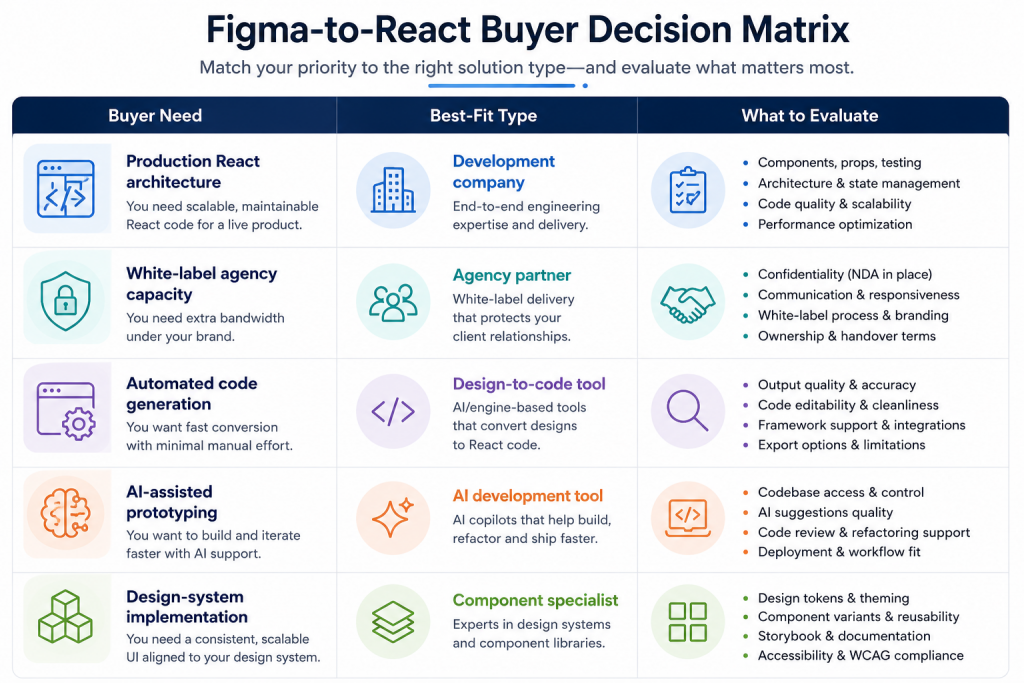
Why Figma-to-React Is More Than Copying a Design
A Figma file describes visual intent. A React application has to turn that intent into a functioning interface.
That requires decisions that a static design may not answer:
- Which elements should become reusable components?
- Which Figma variants should become React props?
- Which values should become design tokens?
- How should the layout behave between the supplied breakpoints?
- What happens when content is longer than the design?
- Which states exist beyond the screenshot?
- How should keyboard and screen-reader users interact with the interface?
- How will the components fit into an existing codebase?
- What happens when the design changes six months later?
Figma’s own developer documentation describes React in terms of components, props, JSX, and reusable code structures. Figma Make uses React for web apps and functional prototypes, while current Figma Make development is also moving toward workflows that connect visual editing with local production code.
That makes an important distinction:
Design-to-code generation and production React development are not necessarily the same job.
A tool can generate a useful starting point quickly. A development team has to make that code fit the product.
The 10 Best Figma-to-React Companies and Tools in 2026
1. Netguru – Best for React Production and Design Systems
Netguru’s Figma-to-React service specifically claims to translate Figma design systems into maintainable React and Next.js components.
Its current service documentation discusses mapping Figma components into React component libraries, translating variants into typed props, mapping design tokens to CSS custom properties, converting Auto Layout concepts into responsive CSS, and addressing accessibility and Core Web Vitals.
Best for
Product companies and larger teams that need a production-oriented React component architecture rather than simple code export.
What they offer
- React and Next.js implementation
- Component-library development
- Typed props
- Design-token implementation
- Responsive layouts
- Accessibility considerations
- Performance-focused QA
- Documentation and Storybook workflows
Strengths
The strongest part of the offering is its explicit focus on the gap between Figma structure and production component architecture.
Potential limitation
A large engineering engagement may be more than a small agency needs for a handful of straightforward marketing pages.
What buyers should verify
Ask how the proposed team will fit into your existing codebase, who owns architecture decisions, and what testing and handoff deliverables are included.
2. Figmafy – Best for Typed, Reusable React Components
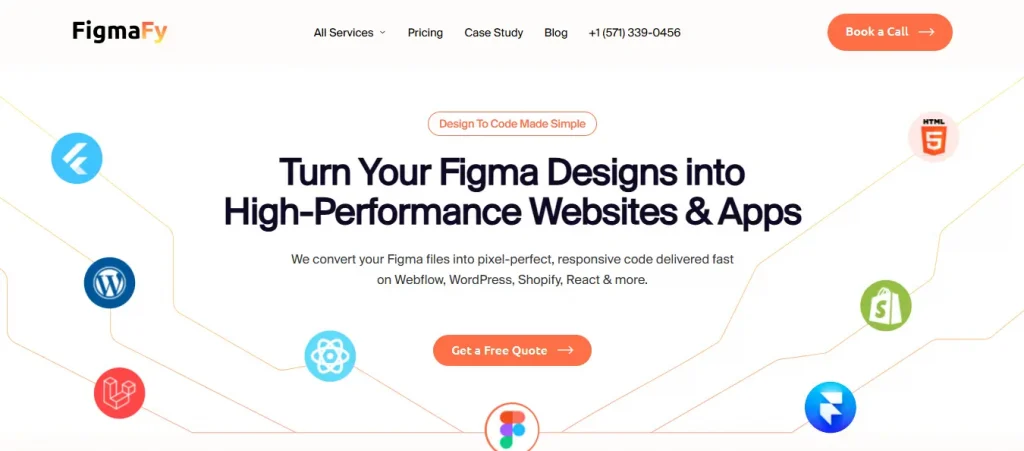
Figmafy’s Figma-to-React service positions its offering around production React components rather than simple exported markup.
Its current service describes TypeScript, reusable components, props interfaces, responsive layouts, accessibility, interactive states, optional Storybook documentation, and multiple styling approaches.
Figmafy also publishes a detailed explanation of the difference between a Figma design and a React component model, including component architecture, props, TypeScript, accessibility, and QA.
Best for
SaaS companies, product teams, and organizations that want a reusable React component layer.
What they offer
- TypeScript
- Reusable React components
- Responsive implementation
- Accessibility support
- Interactive states
- Storybook options
- Tailwind, CSS Modules, and styled-components
Strengths
The service is unusually explicit about component APIs, types, states, and accessibility.
Potential limitation
Figmafy publishes specific pricing and turnaround information, but those figures are vendor-specific and should not be treated as a market-wide benchmark.
Its current service page lists a starting price of $1,500 and describes typical project timelines, but the actual cost depends on scope and requirements.
What buyers should verify
Ask whether the quoted work includes your complete component library, all interaction states, Storybook, integration support, and post-delivery revisions.
3. PixelCrayons – Best for White-Label Agency Delivery
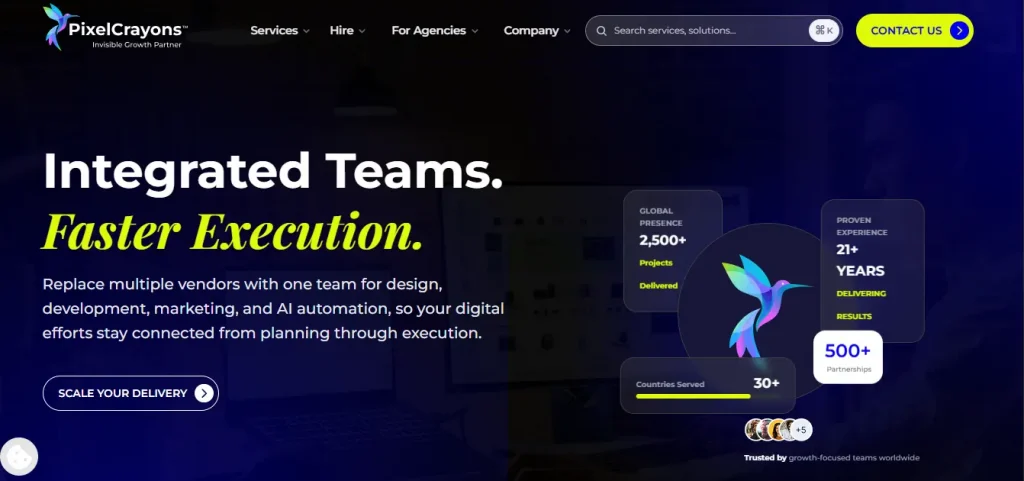
PixelCrayons’ Figma-to-React service explicitly targets agencies that want React development delivered behind their own brand.
The company describes white-label Figma-to-React development, reusable React applications, maintenance, NDA-backed delivery, and agency-focused workflows.
Best for
Web, design, and marketing agencies that need additional React capacity without hiring a permanent internal team.
What they offer
- White-label React development
- Responsive React applications
- Component-based development
- Maintenance
- NDA-oriented delivery
- Agency-focused workflows
- React Native and other design-to-code options
Strengths
The white-label model is clearly documented, which makes the offering easy for agencies to evaluate against an overflow-development use case.
Potential limitation
Several quality and performance figures published on the service page are company claims rather than independent benchmarks.
What buyers should verify
Ask for relevant project examples, the exact QA process, repository ownership, communication rules, revision policy, and how your agency’s client relationship is protected.
4. Inmogic – Best for React Applications and Integrations
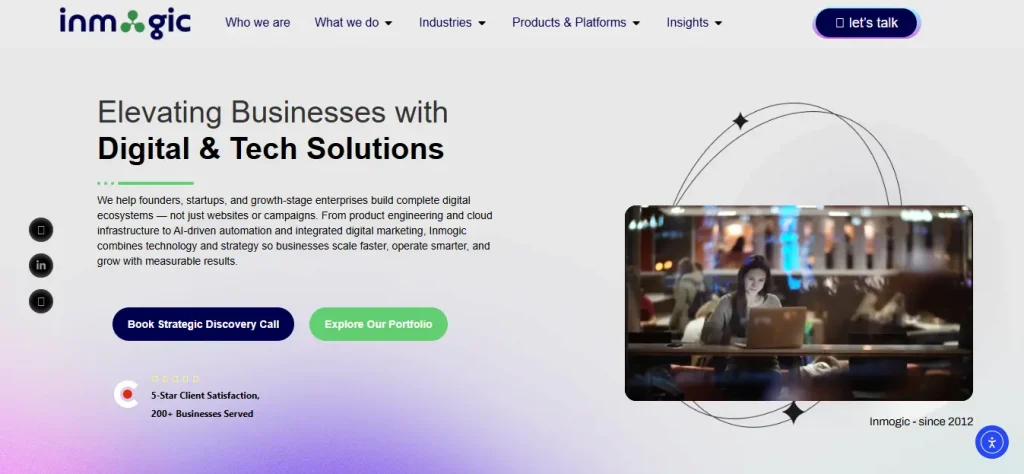
Inmogic’s Figma-to-React service treats Figma implementation as part of broader application development.
Its current service describes React component development, Next.js and Vite, API integration, real-time data, state-driven interactions, and deployment capabilities.
Best for
Businesses whose Figma designs are only one part of a larger application.
For example, a dashboard may need authentication, APIs, filters, loading states, error handling, and application state in addition to the visual interface.
What they offer
- React development
- Next.js and Vite
- API integration
- State-driven interfaces
- Responsive UI implementation
- Deployment support
Strengths
The broader engineering scope can be useful when the project needs more than frontend reconstruction.
Potential limitation
Some technical and performance language on the service page is promotional. Buyers should distinguish documented capabilities from independently verified performance.
What buyers should look for
Ask for examples of architecture. Ask how the team has handled integrations and application logic like yours before.
5. XCEEDBD – Best for Agencies With Broader Development Needs

XCEEDBD’s Figma-to-React service describes ReactJS, TypeScript, reusable components, responsive implementation, semantic HTML, and maintenance.
The service explicitly targets small-to-mid-sized agencies, larger agencies, and digital marketing agencies.
Best for
Agencies looking for an external development partner rather than a narrow code-export tool.
Strengths
- React and TypeScript
- Reusable components
- Agency positioning
- Responsive implementation
- Maintenance and support
- Broader design-to-code services
Potential limitation
The company publishes numerical claims about its team, delivery, and performance. Those should be treated as vendor-reported information unless independently verified.
What buyers should verify
Ask for project-specific references, technical examples, QA documentation, and evidence supporting any performance claims that influence your decision.
6. Codegrin – Best for React/Next.js Agency Projects
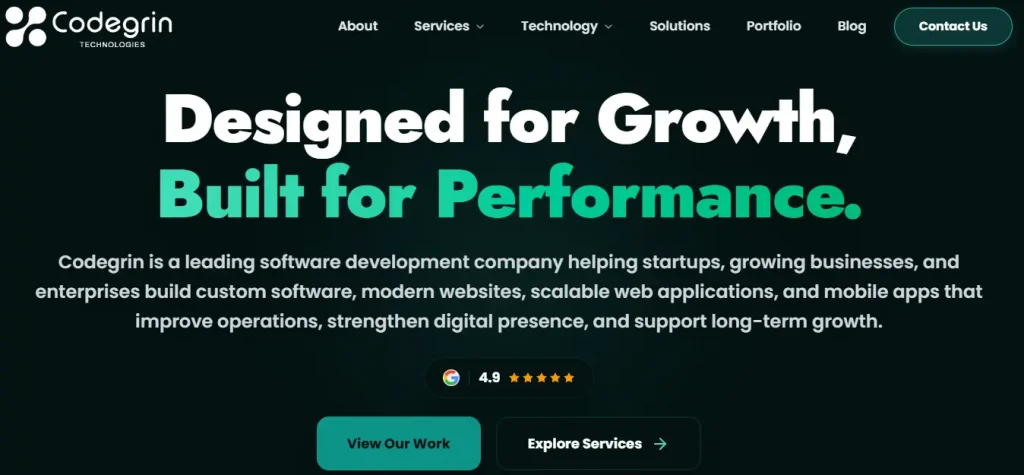
Codegrin’s Figma-to-React development service positions the company around React/Next.js implementation for agencies and product teams.
Its current service pages describe component-based React development, Next.js, responsive styling, design-system implementation, integrations, and animation work.
Best for
Agencies and product teams that specifically need React or Next.js implementation.
Strengths
- React and Next.js
- Component-based development
- Responsive implementation
- Design-system work
- Integrations
- Animation and interaction support
Potential limitation
Codegrin publishes aggressive delivery and performance claims on its service pages. Those should not be treated as independently verified benchmarks.
What buyers should verify
Ask for evidence from projects with comparable complexity rather than relying on headline percentages.
7. Kling Digital – Best for Design-Led Digital Products
Web design and development by Kling Digital combines design and engineering competences.
Its current service documentation lists Figma, React.js, Next.js, Tailwind CSS, Framer Motion, and GSAP, and explicitly describes Figma-to-React/Next.js conversion.
Best for
Design-led products and interfaces where visual design, interaction, and engineering need to stay closely connected.
Strengths
- Design and development capabilities
- React and Next.js
- Figma-based design systems
- Animation technologies
- Responsive React modules
Potential limitation
The public positioning is broader than a specialist Figma-to-React service.
What buyers should verify
Confirm the current React workflow, team composition, QA process, and whether the engagement is primarily design, development, or both.
8. Anima – Best for Automated Figma-to-React Workflows
Anima’s Figma-to-Code platform is a design-to-code platform rather than a traditional development agency.
Anima currently supports React output alongside HTML, Vue, Tailwind, TypeScript, JavaScript, Next.js, and other technologies. Its documentation says it can generate responsive code, supports Figma Auto Layout, allows editable output, and has AI-assisted iteration.
Good for
Teams looking to accelerate design-to-code work without outsourcing all development.
Strengths
- Automated Figma to React workflow
- Code generation with response
- Options for React and TypeScript
- Output is editable
- AI assisted iteration
- Design-aware workflow
- UI library and styling options support
Possible limitation
Code generated is not a substitute for engineering review.
The team still has to deal with application architecture, business logic, security, testing, accessibility verification, API integration, and long-term maintenance.
What buyers should look for
Test the produced output against your actual codebase before adopting it as a production workflow.
9. Figma Make – Best for AI-Assisted Prototyping and Code Workflows
Figma Make has become increasingly relevant to Figma-to-React workflows in 2026.
Figma’s developer documentation describes React as a core technology for Figma Make web apps and functional prototypes.
In May 2026, Figma announced the ability for Make to work with local production codebases, with those capabilities rolling out in beta. Figma’s subsequent July 2026 updates also describe visual editing, annotations, and workflows that connect design changes to code and pull-request processes.
Best for
Internal teams experimenting with AI-assisted frontend development, prototypes, and design-to-code iteration.
Strengths
- AI-assisted React development
- Rapid prototyping
- Design context
- Visual/code iteration
- Increasing connection to existing codebases
- Useful for product exploration
Potential limitation
Some of the newer local-code capabilities are beta or rollout-dependent. Availability and workflow maturity should be verified before making them a critical part of a production process.
What buyers should verify
Determine where Figma Make fits into your existing repository, code-review, testing, deployment, and security workflows.
10. Pixel Perfect HTML – Best for Accurate Frontend Implementation and Agency Support
Pixel Perfect HTML’s Figma-to-HTML service currently positions its Figma offering primarily around responsive HTML/CSS/JavaScript implementation rather than a dedicated Figma-to-React service.
That distinction matters.
Pixel Perfect HTML has broader frontend and React expertise, and its technical team has an experienced frontend developers and technical specialist whose published expertise includes React, HTML, CSS, Bootstrap, and Tailwind CSS.
The company also states that it has operated since 2015, completed 1,000+ projects, and has 70+ skilled developers. Those are company-reported figures rather than independently audited statistics.
Best for
Agencies and businesses that need accurate design implementation, frontend development support, or white-label delivery and are willing to confirm the exact React scope for their project.
Strengths
- Long-running frontend development focus
- Figma-to-HTML service
- React expertise within the technical team
- Responsive implementation
- Semantic and W3C-oriented coding practices
- Agency/white-label support
- Post-delivery support
Potential limitation
Pixel Perfect HTML’s current public service positioning does not establish it as a dedicated Figma-to-React specialist in the same way that Netguru or Figmafy does.
If your project specifically requires a React component library, Next.js architecture, or complex React application engineering, confirm the stack, scope, testing process, and ownership model before hiring.
What buyers should verify
Ask for recent Figma-to-React examples specifically, not only Figma-to-HTML work.
That is the most important verification step for a buyer considering Pixel Perfect HTML for this particular use case.
This table is a buyer-oriented comparison, not a universal quality score. Capabilities can change, and vendor-reported claims should be verified during the sales process.
| Provider | Best For | React / Next.js | Agency Focus | Component / Design-System Focus | Automation |
| Netguru | Production React systems | Yes | Moderate | Strong | Selective |
| Figmafy | Reusable React components | Yes | Moderate | Strong | Limited |
PixelCrayons | White-label delivery | Yes | Strong | Strong | Some |
Inmogic | Applications & integrations | Yes | Yes | Strong | Some |
XCEEDBD | Agency development | Yes | Strong | Strong | Some |
Codegrin | React/Next.js projects | Yes | Strong | Strong | Some |
Kling Digital | Design-led products | Yes | Moderate | Strong | Some |
| Anima | Automated design-to-code | Yes | Team-oriented | Strong | Strong |
Figma Make | AI-assisted development | React | Team-oriented | Design-aware | Strong |
Pixel Perfect HTML | Frontend & agency support | React capability; confirm scope | Strong | Frontend-focused | Complementary |
How We Evaluated These Figma-to-React Companies and Tools
The word “best” only means something if buyers know how the options were evaluated.
This guide uses six criteria.
1. Figma-to-React relevance
Does the provider explicitly document Figma-to-React development or a closely related design-to-code workflow?
2. React engineering depth
Can the provider export static markup, but build reusable components & application interfaces?
3. Responsive deployment
Does the workflow take real viewport behavior, dynamic content and different breakpoints into account?
4. Accessibility and interaction states
Does the offering address semantics, keyboard behavior, focus, ARIA, and states such as loading, disabled, and error?
5. Agency suitability
Can agencies use the provider to extend delivery capacity or operate through a white-label model?
6. Production workflow
Does the provider discuss QA, testing, documentation, integrations, code ownership, or maintenance?
What this methodology does not do
It does not assign an artificial numerical score to every provider.
Why?
Because a development agency, a component specialist, and an AI code-generation tool solve different problems.
The more useful question is:
Which option is best for your particular project?
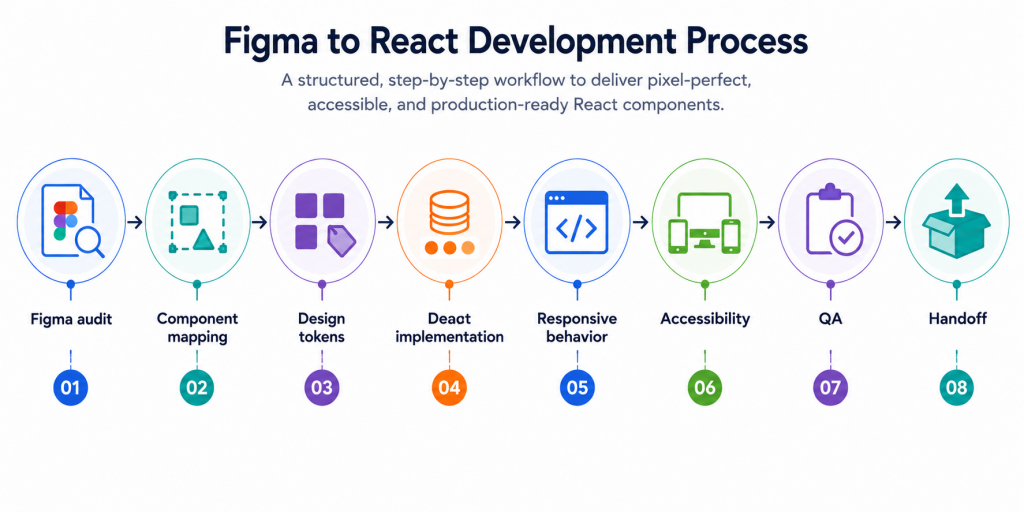
What Makes a Figma-to-React Implementation Production-Ready?
A useful implementation should do more than resemble the Figma screenshot.
1. Figma components should become reusable React components
A Figma file may contain dozens of buttons, cards, inputs, and navigation elements.
Your React application should not necessarily contain dozens of unrelated implementations.
Ask:
- Which elements become shared components?
- How do variants become props?
- Are design tokens mapped into code?
- Can components be reused outside the original screen?
- Does the resulting architecture fit the existing component library?
2. Responsive behavior must work between Figma frames
Figma may show desktop and mobile designs.
Your application has to work at widths that were never explicitly designed.
Test what happens when:
- Text becomes longer
- A card contains more data
- A navigation item wraps
- A mobile viewport becomes narrower
- A component appears in a different container
Responsive implementation is one of the clearest differences between reproducing a screenshot and engineering a usable interface.
3. Accessibility needs to be designed into components
Ask whether the implementation includes:
- Semantic HTML
- Keyboard navigation
- Focus states
- Form labels
- Appropriate ARIA attributes
- Color-contrast checks
- Screen-reader considerations
- Reduced-motion behavior where relevant
Figma tells you what an interface looks like. It does not automatically tell you how that interface should behave for every user.
4. Interactive states need to be accounted for
A screenshot might show only the default state.
A real application may require:
- Hover
- Focus
- Active
- Disabled
- Loading
- Error
- Empty
- Success
If those states are missing from Figma, ask who will define them.
5. QA should go beyond visual similarity
Ask whether the provider performs:
- Responsive testing
- Cross-browser testing
- Visual comparison
- Functional testing
- Accessibility checks
- Performance testing
- Regression testing
Also ask who signs off on visual accuracy.
Should You Use AI Instead of Hiring a Figma-to-React Company?
Sometimes.
The more useful question is not “Can AI generate React?”
It clearly can.
The question is “How much engineering responsibility remains after the code is generated?”
Anima can generate editable responsive React code from Figma, while Figma Make now supports React-based applications and is moving toward workflows involving local production code.
AI and design-to-code tools are especially useful for:
- Early prototypes
- Concept validation
- UI experiments
- Boilerplate
- Internal tools
- Developer-assisted iteration
- Rapid design exploration
Human engineering becomes more important when you have:
- A large existing codebase
- Complex business logic
- Authentication
- API integrations
- Multiple application states
- Mature design systems
- Complex accessibility requirements
- Security requirements
- Performance requirements
- Long-term maintenance
The practical choice is often not AI versus developers.
It is:
AI for acceleration + experienced developers for engineering judgment.
How Much Does Figma-to-React Development Cost?
There is no standard price for Figma to React. Price depends on the engineering work behind the Figma file. Factors such as:
- Number of Pages
- Reusable component count · Complexity of design
- Requirements that respond to
- Requirements for animation and interaction
- Existing design system React or Next.js architecture
- APIs integration
- Authentication
- State management
- Accessibility requirements
- Test
- Old code base
- Deploy
- Continuous support
Published prices also vary greatly by provider and engagement model. Figmafy, for instance, has a starting price of $1,500 for its Figma-to-React service, while PixelCrayons offers fixed-price, hourly, and dedicated-team engagement models.
Please do not consider these numbers as a general market price. A 5 page marketing site and a 40 screen SaaS dashboard can both start with Figma files, but they’re completely different engineering projects.
Why Agencies Outsource Figma-to-React Development
For agencies, outsourcing is often about capacity rather than capability.
You may understand React projects perfectly well but still have periods when your internal developers are fully booked.
A dependable external partner can help you:
- Handle project spikes
- Accept more client work
- Avoid unnecessary permanent hiring
- Add specialist frontend capacity
- Keep designers focused on design
- Offer React/Next.js development without expanding the internal team
- Deliver work under your own brand where a white-label model is appropriate
PixelCrayons explicitly markets white-label Figma-to-React delivery to agencies. Pixel Perfect HTML also documents an agency-partner model and white-label development support.
But outsourcing only works when responsibilities are clear.
Before signing, establish:
- Who communicates with the client?
- Who owns the source code?
- Who handles Figma changes?
- How are revisions managed?
- Who performs QA?
- What happens after launch?
- Is an NDA available?
- How are bugs handled?
- Can the provider work inside your project-management and repository workflows?
What Can Go Wrong With Figma-to-React Development?
The biggest mistakes happen when buyers evaluate only visual accuracy.
Duplicate components
A developer can reproduce 20 screens while creating 20 versions of the same button.
The result may look correct initially but become difficult to maintain.
Hardcoded layouts
Absolute positioning and fixed dimensions can reproduce an artboard without creating a layout that behaves correctly with real content.
Missing states
Designs often omit loading, error, empty, focus, and disabled states.
If nobody owns those decisions, they become expensive development surprises.
Accessibility added too late
If components are built without semantics and keyboard behavior from the beginning, accessibility fixes can require structural changes.
Design changes after development begins
A small Figma change can affect dozens of components.
This is why component architecture and design-token strategy matter before implementation starts.
Over Reliance on generated code
Automated tools can accelerate the first version of an interface, but generated code still needs review for architecture, semantics, accessibility, responsiveness, testing, and maintainability.
8 Questions to Ask Before Hiring a Figma-to-React Company
1. Do you work on similar projects? Just ask for work that is technically similar, not just nice screenshots.
2. Reusing React Components with Figma variants? Before you start with coding you want to know the architecture of the components.
3. Are you familiar with react / next.js from our stack? Ensure that your application adheres to the architecture and conventions.
4. What do you do with reactive behavior that is not in Figma . This question will show whether the provider is thinking outside the box of fixed design frames.
5. How do you approach accessibility? Ask very specific questions on semantic HTML, keyboard navigation, focus management, ARIA, contrast.
6. What if the design does not show an interaction effect? Determine who will be making the decisions before you begin development.
7. How do you test for visual correctness and functional testing? Ask them what the actual QA process is, not some vague promise to “test everything”.
8. What happens after the birth? Bug fixes. Clarifications for Revision DOCUMENTS. Support & Maintenance .
Final Verdict: Which Figma-to-React Provider Should You Choose?
The best option depends on the problem you’re actually trying to solve.
Choose Netguru if production React architecture and design-system implementation are your priorities.
Consider Figmafy if you want typed, reusable React components and a clearly defined component-development workflow.
Consider PixelCrayons if you’re an agency looking for white-label React development capacity.
Consider Inmogic or XCEEDBD if your project extends beyond UI implementation into broader application development and integrations.
Consider Codegrin for React/Next.js-focused development and Kling Digital when design and engineering need to work closely together.
Consider Anima or Figma Make if your main goal is to accelerate design-to-code work through automation or AI-assisted development.
Consider Pixel Perfect HTML if your priority is accurate frontend implementation and agency-oriented development support but verify the exact React scope first. Its current public Figma service focuses on Figma-to-HTML, while its broader technical team documents React expertise.
The most important takeaway is simple:
The fastest path from Figma to React is not automatically the best path to production.
A generated interface can be a useful starting point. A production frontend has to work with real content, real users, real devices, real interactions, and real application logic.
Before choosing a provider, compare:
component architecture, responsive behavior, accessibility, QA, integrations, maintainability, communication, ownership, and support.
That is a much more useful definition of “best” than asking who can reproduce a Figma screenshot fastest.
A Practical Next Step for Agencies
If you’re an agency with a Figma design ready for development, don’t start by asking only:
“How much will this cost?”
First ask:
“What will you actually build, who will own the code, how will you handle responsive and interactive states, and how will the work be tested?”
Then compare quotes against the answers.
When you are ready to evaluate a development partner, request a free quote from Pixel Perfect HTML. Share your Figma file, target stack, number of screens, responsive requirements, and project constraints so the team can determine whether its frontend development capabilities are a fit.
Frequently Asked Question:
What is Figma-to-React conversion?
Figma-to-React conversion is the process of rebuilding a Figma interface as React components and application code. Production implementation may include reusable components, responsive layouts, accessibility, interactions, state management, integrations, testing, and performance work.
Can Figma automatically generate React code?
Yes. Figma Make uses React for web apps and functional prototypes, and Anima can generate editable React code from Figma designs.
Is AI-generated React code production-ready?
It can be a useful starting point, but generated code should be reviewed before becoming production infrastructure. Architecture, accessibility, responsiveness, testing, security, integrations, performance, and maintainability still require engineering judgment.
Should I use a Figma-to-React tool or hire a developer?
Use a tool when your primary need is speed, prototyping, or scaffolding. Consider a developer or development company when the project requires application architecture, complex interactions, integrations, testing, accessibility, or long-term maintenance.
How long does Figma-to-React conversion take?
There is no universal timeline. Duration depends on the number and complexity of screens, component reuse, responsive behavior, integrations, interaction states, testing, and the existing codebase.
Does Figma-to-React include Next.js?
Some providers explicitly support both React and Next.js, including Netguru, Figmafy, Inmogic, and Codegrin. Always confirm the framework, version, rendering approach, App Router/pages architecture, and project conventions before development.
Can agencies outsource Figma-to-React development?
Yes. Several providers explicitly market services to agencies, including white-label delivery models. PixelCrayons is one example.
What should I send a developer before asking for a quote?
Provide the Figma file, page/screen count, responsive designs, component library, assets, fonts, interaction requirements, target React/Next.js stack, existing codebase information, API requirements, and accessibility or performance requirements you already know.
About the Author